Team

Me (Designer); Kritarth Vyas (Founder)
Akash Kushwaha (Engineer); Sumit Beniwal (Engineer)

Industry

SaaS -
Artificial Intelligence

Year

2024

Overview

The onboarding flow for Asa AI is designed to help online brands and their key stakeholders (brand managers, customer support managers, and agents) quickly set up Asa AI to reflect their brand voice and guidelines. This seamless onboarding ensures that Asa AI can provide tailored, on-brand customer support and product recommendations to online shoppers.

Outcome

Created an intuitive, guided onboarding flow that aligns Asa AI with a brand’s identity and voice, ensuring personalized user experiences.

  • Enhanced Onboarding Efficiency: The redesigned onboarding flow reduced setup time by 40%

  • Improved Customization and Client Satisfaction

Created an intuitive, guided onboarding flow that aligns Asa AI with a brand’s identity and voice, ensuring personalized user experiences.

  • Enhanced Onboarding Efficiency: The redesigned onboarding flow reduced setup time by 40%

  • Improved Customization and Client Satisfaction

Created an intuitive, guided onboarding flow that aligns Asa AI with a brand’s identity and voice, ensuring personalized user experiences.

  • Enhanced Onboarding Efficiency: The redesigned onboarding flow reduced setup time by 40%

  • Improved Customization and Client Satisfaction

Getting to know the product

What is Asa AI?

Alphablocks (Asa AI) focuses on building AI tools for enhancing customer engagement and operational efficiency, specifically catering to direct-to-consumer (D2C) e-commerce brands. Their AI-driven solution, Asa, acts as a virtual customer support assistant that provides personalized product recommendations and helps users make informed purchasing decisions.

By integrating Asa into an e-commerce platform or customer touchpoints, businesses can optimize and scale their daily operations by improving customer engagement and support efficiency.

The challenge

For Asa AI to effectively represent a brand, it needs to understand the brand's voice, tone, and guidelines during the initial setup.

Many onboarding processes fail to guide users effectively, leading to misaligned AI outputs and frustrated stakeholders.

For Asa AI to effectively represent a brand, it needs to understand the brand's voice, tone, and guidelines during the initial setup.

Many onboarding processes fail to guide users effectively, leading to misaligned AI outputs and frustrated stakeholders.

The Goal.

The Goal.

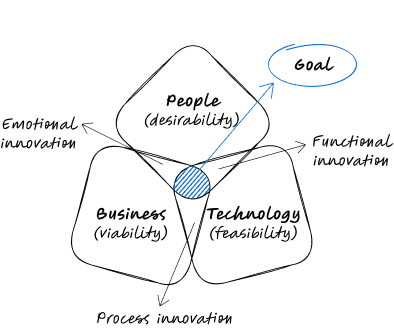
By aligning the needs of People, Business, and Technology, the objective was to create a seamless and effective experience for all stakeholders, ensuring the onboarding process would balance user desirability, business viability, and technological feasibility.

Who are we designing for?

Target Audience

We are crafting an intuitive and seamless onboarding experience for a wide range of Asa AI users, tailored to their unique goals and needs:
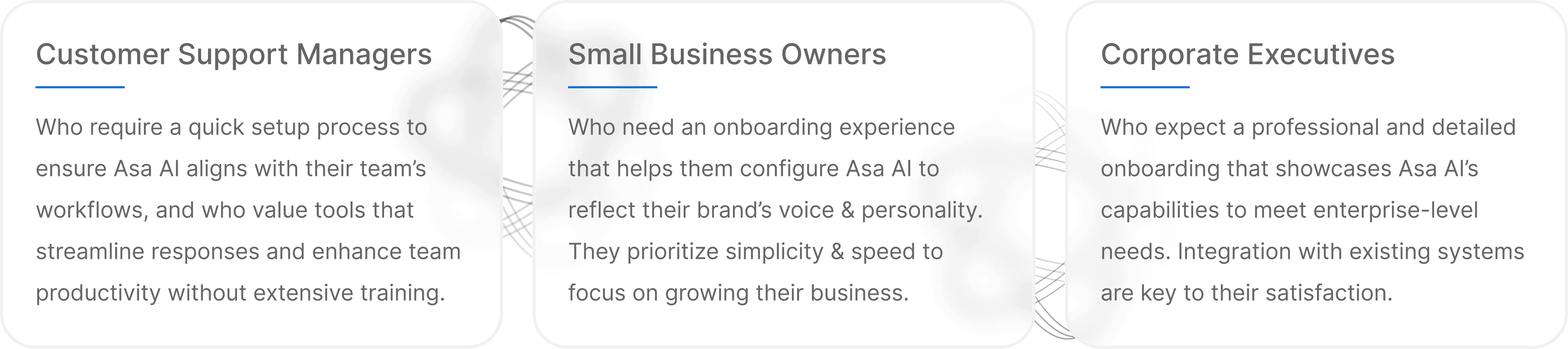
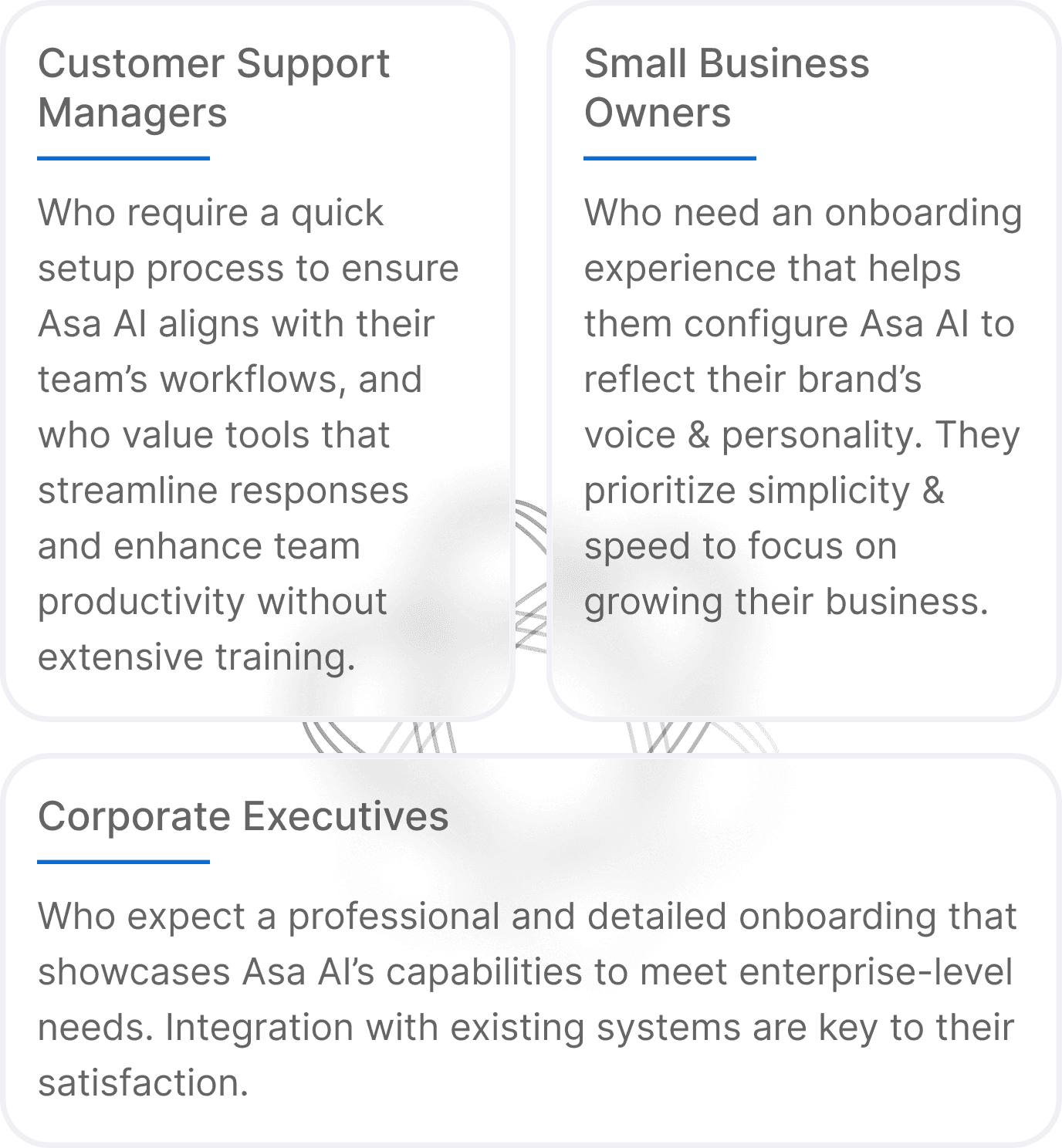
Laying the Foundation for Asa AI’s Onboarding Flow

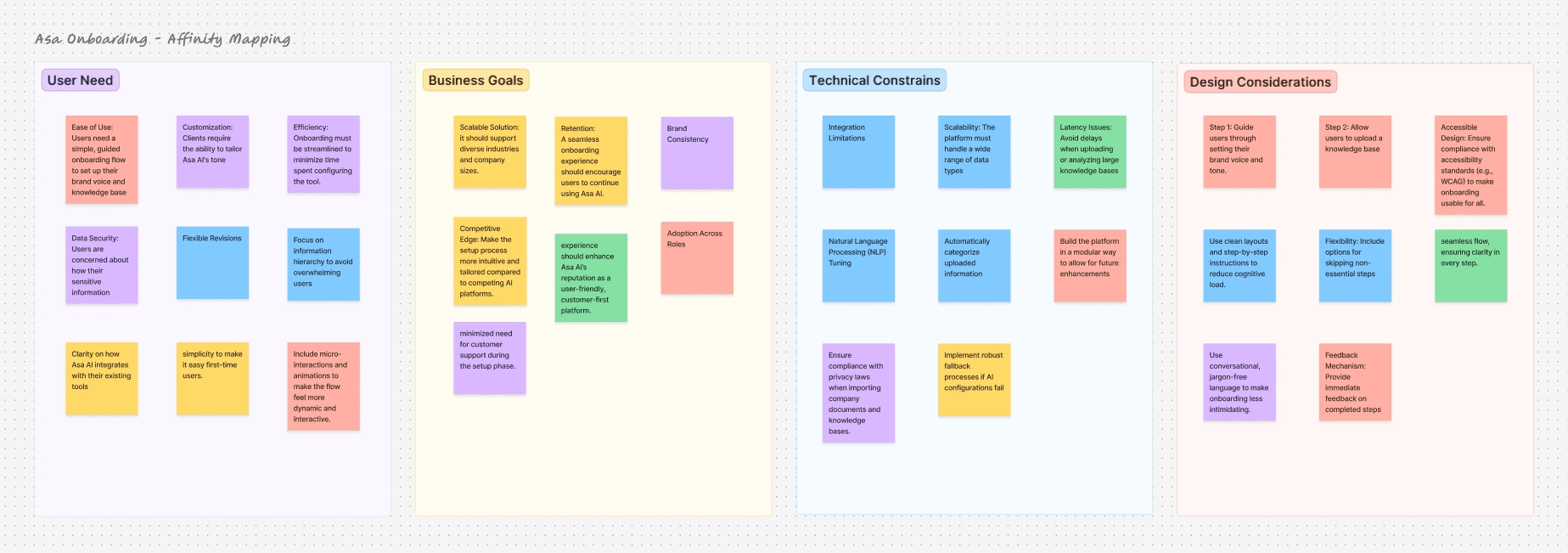
Affinity Mapping

Understanding the challenges in user needs, business goals, and technical insights to craft a seamless onboarding experience.
A Seamless Onboarding

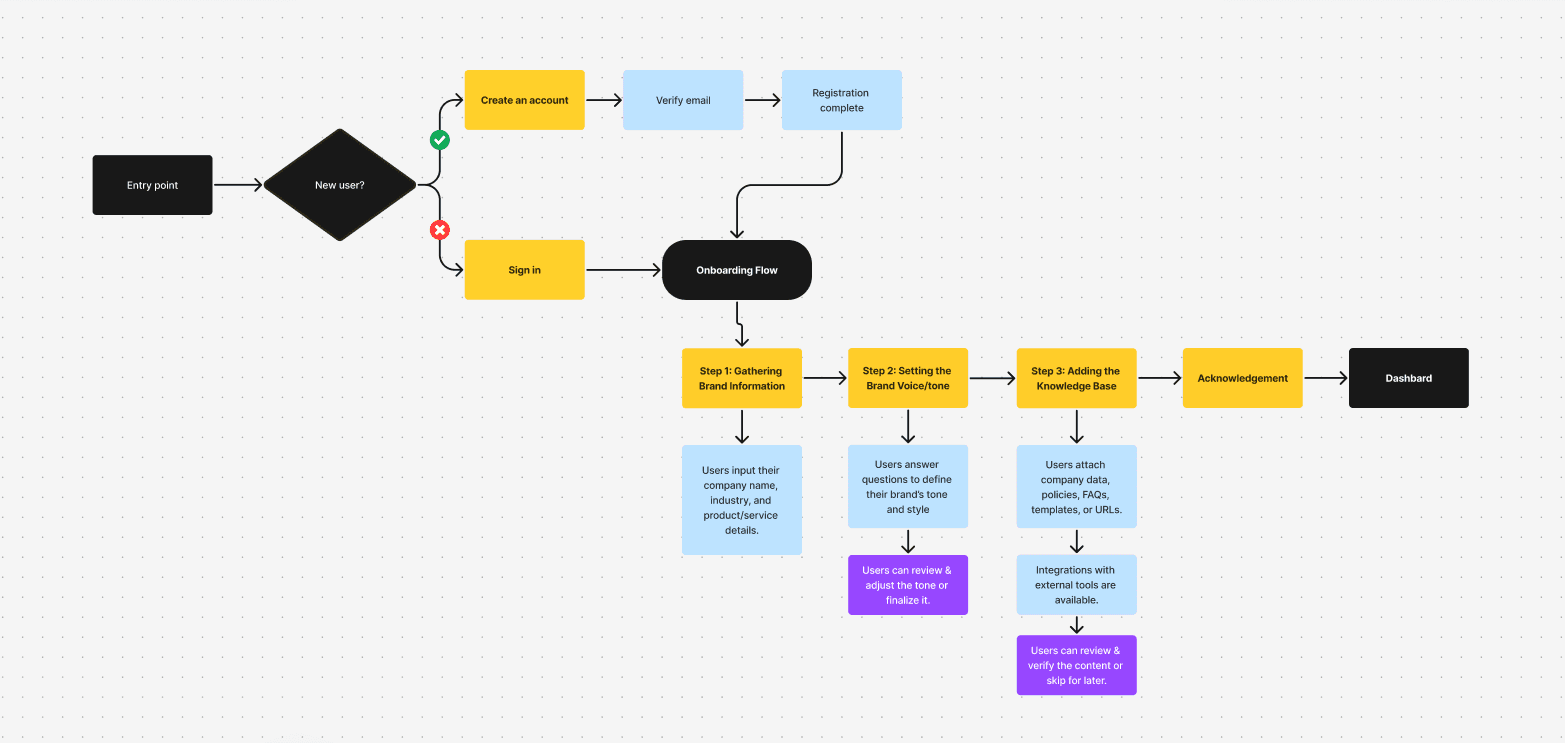
User Flow

Mapping the Step-by-Step Process That Aligns Asa AI to Each Brand’s Unique Voice and Needs
Getting started with design part

Wireframes

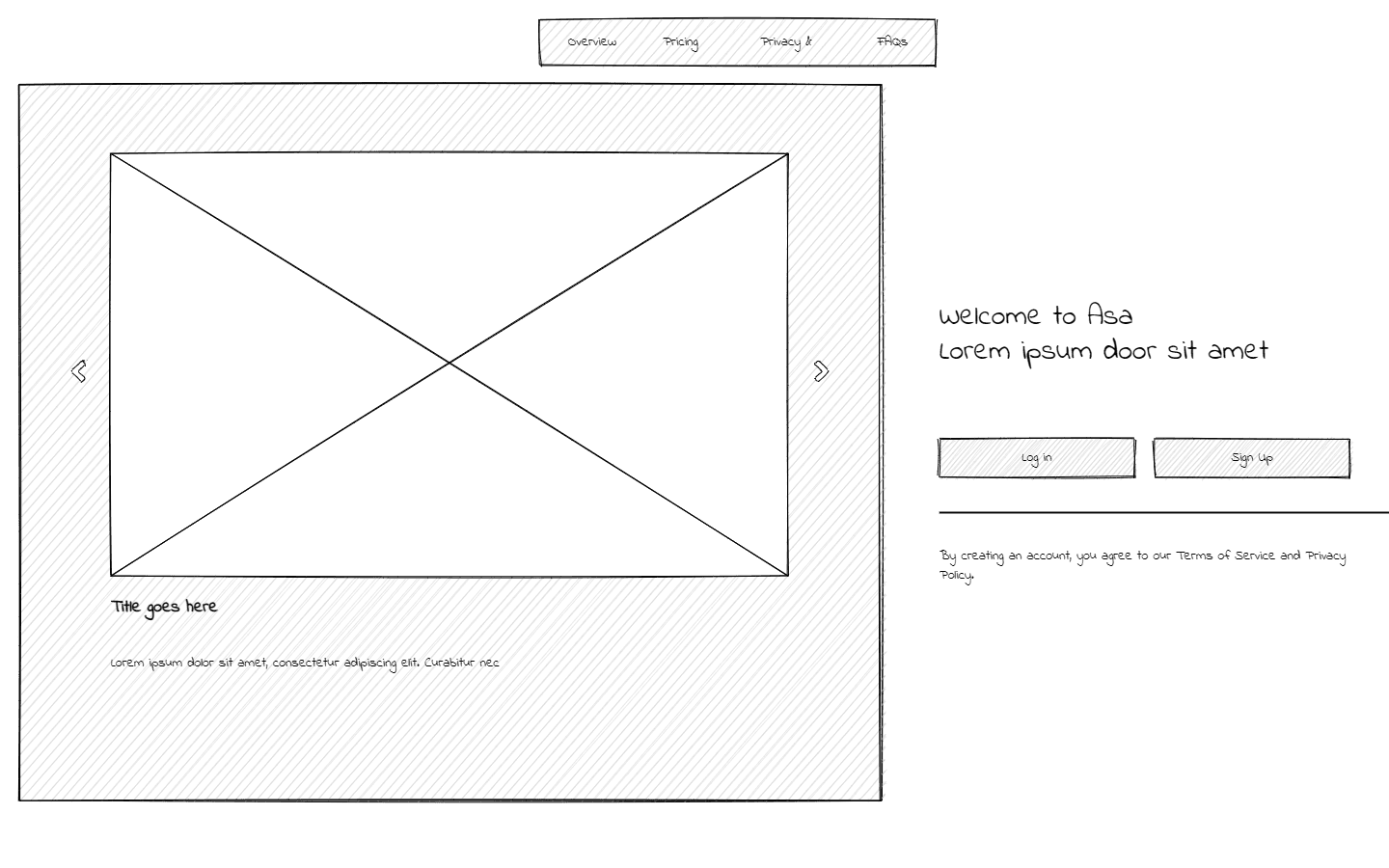
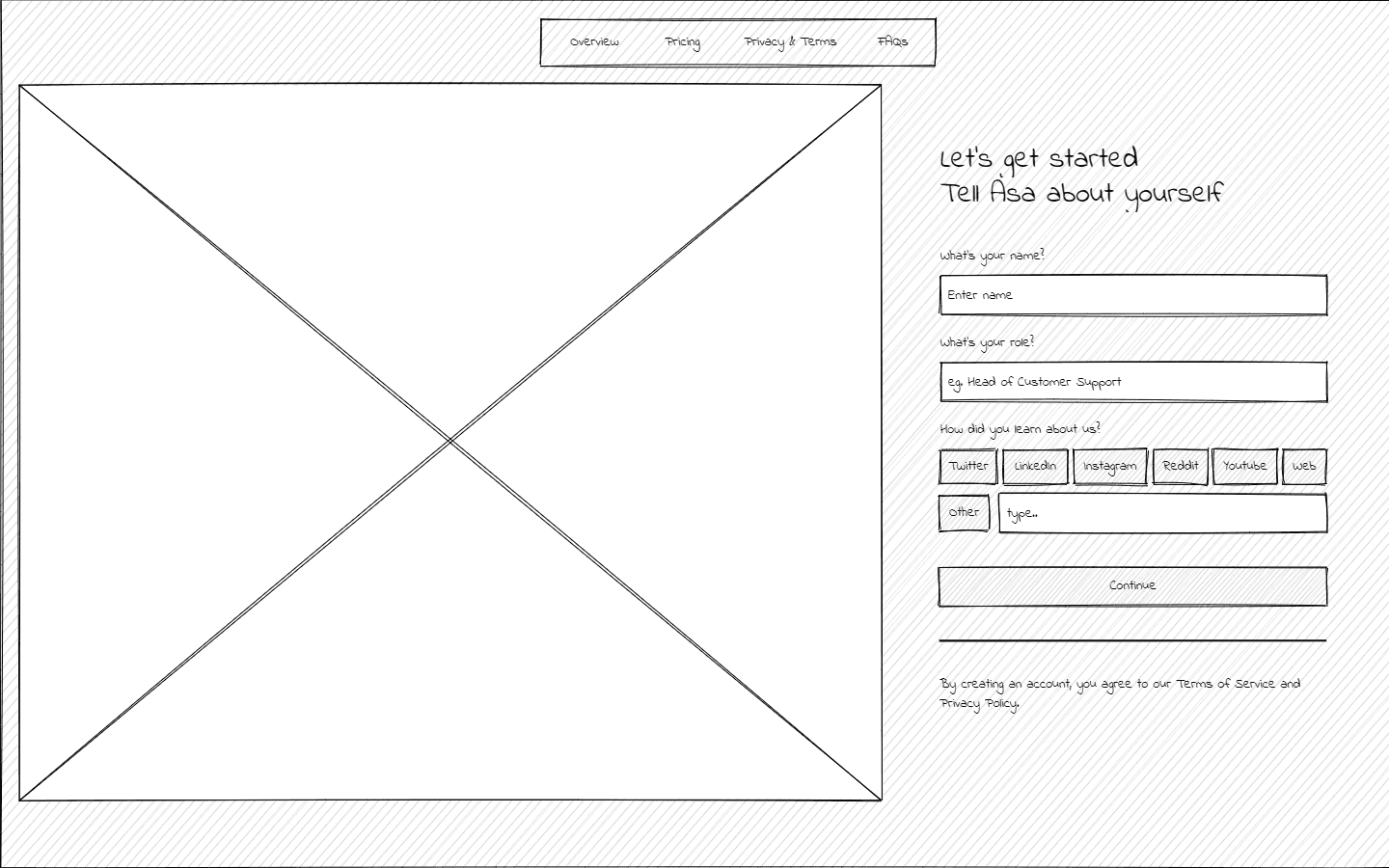
A visual blueprint of the onboarding flow, showcasing the layout, structure, and functionality of each screen. These wireframes serve as the foundation for the design, ensuring a clear and user-centric experience.
  • Part 1.1: Log In/Sign Up

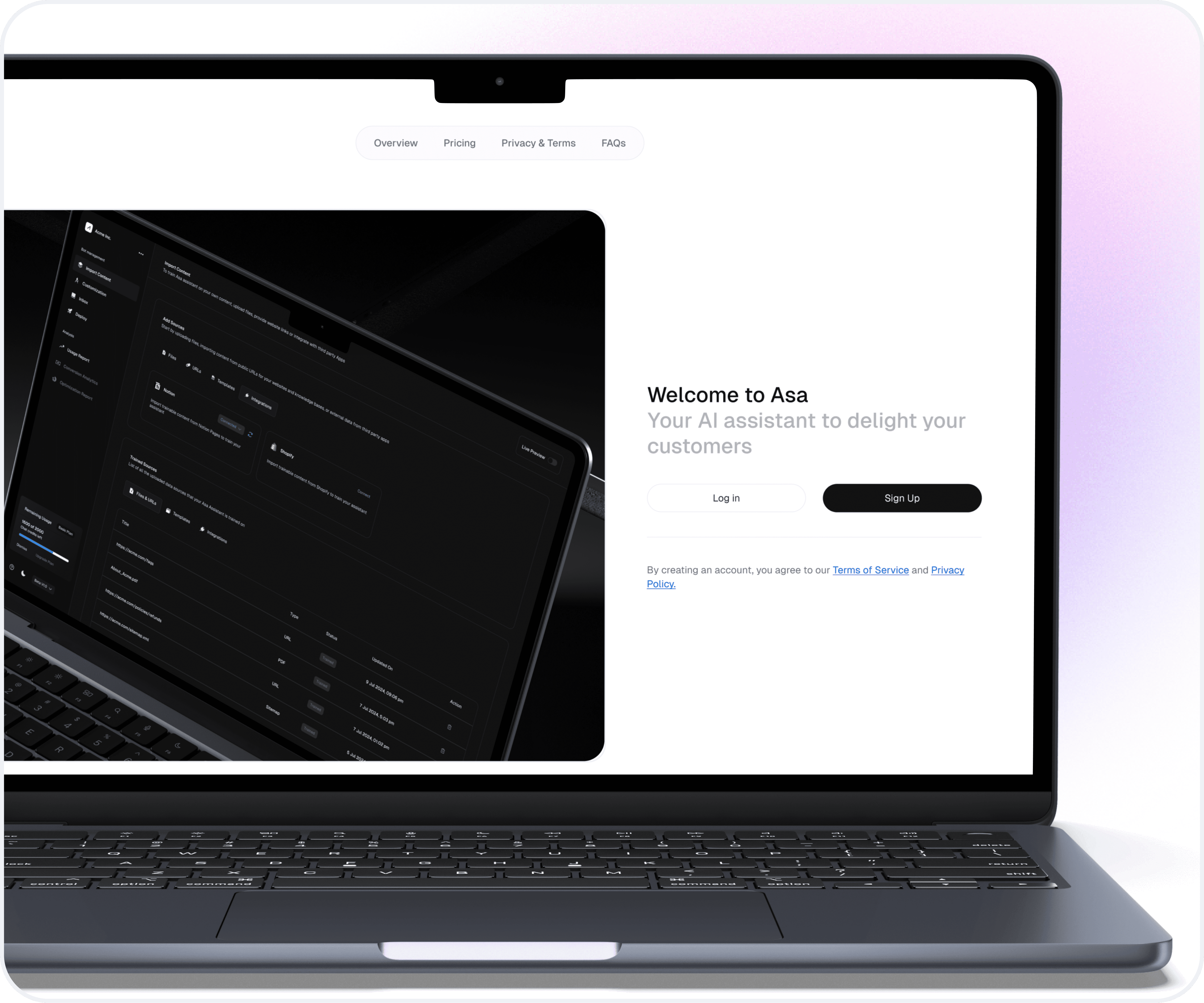
    Landing screen that introduces users to Asa AI and invites them to either log in or sign up. Simplistic design ensures clarity and reduces cognitive load for users unfamiliar with Asa AI.

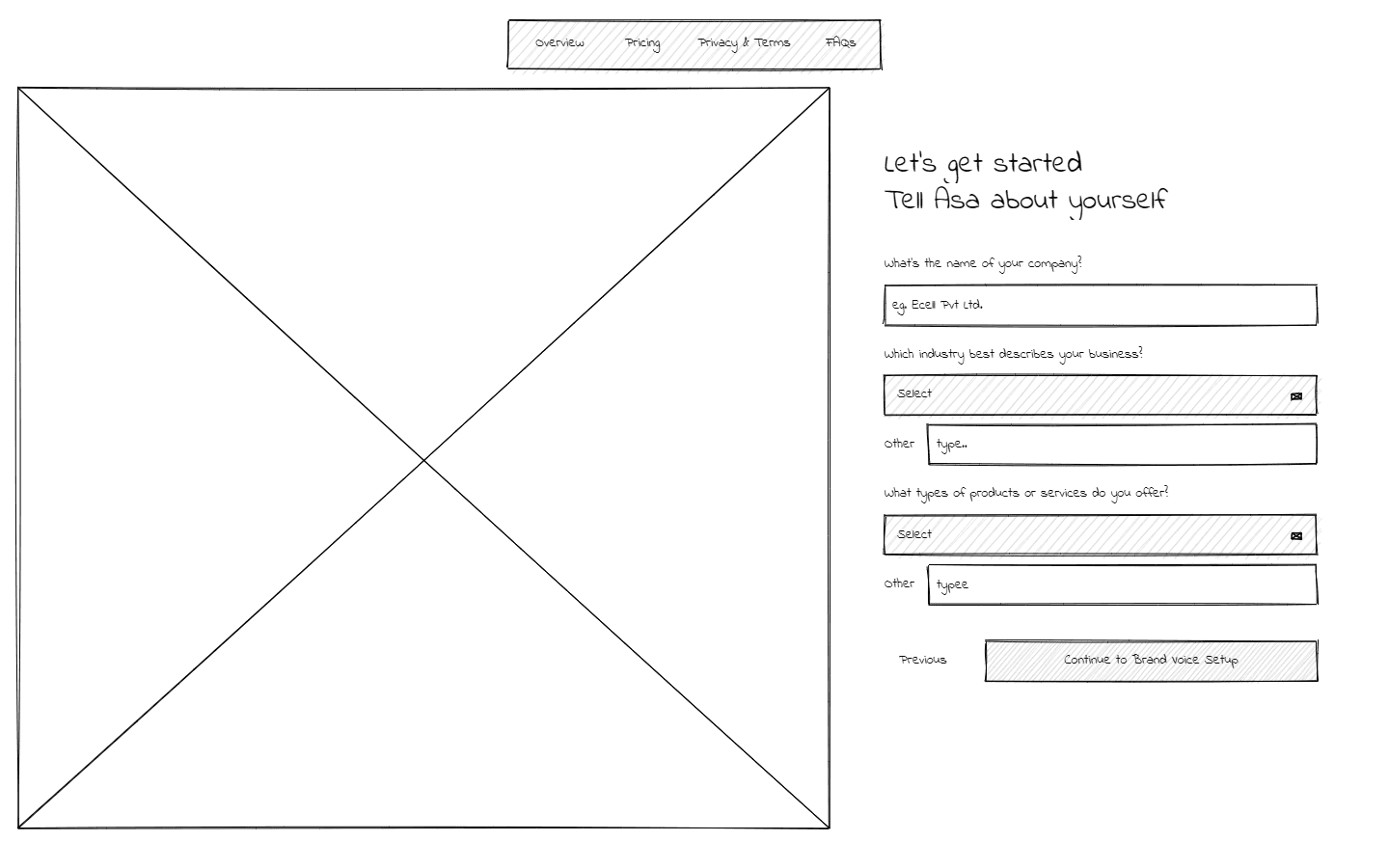
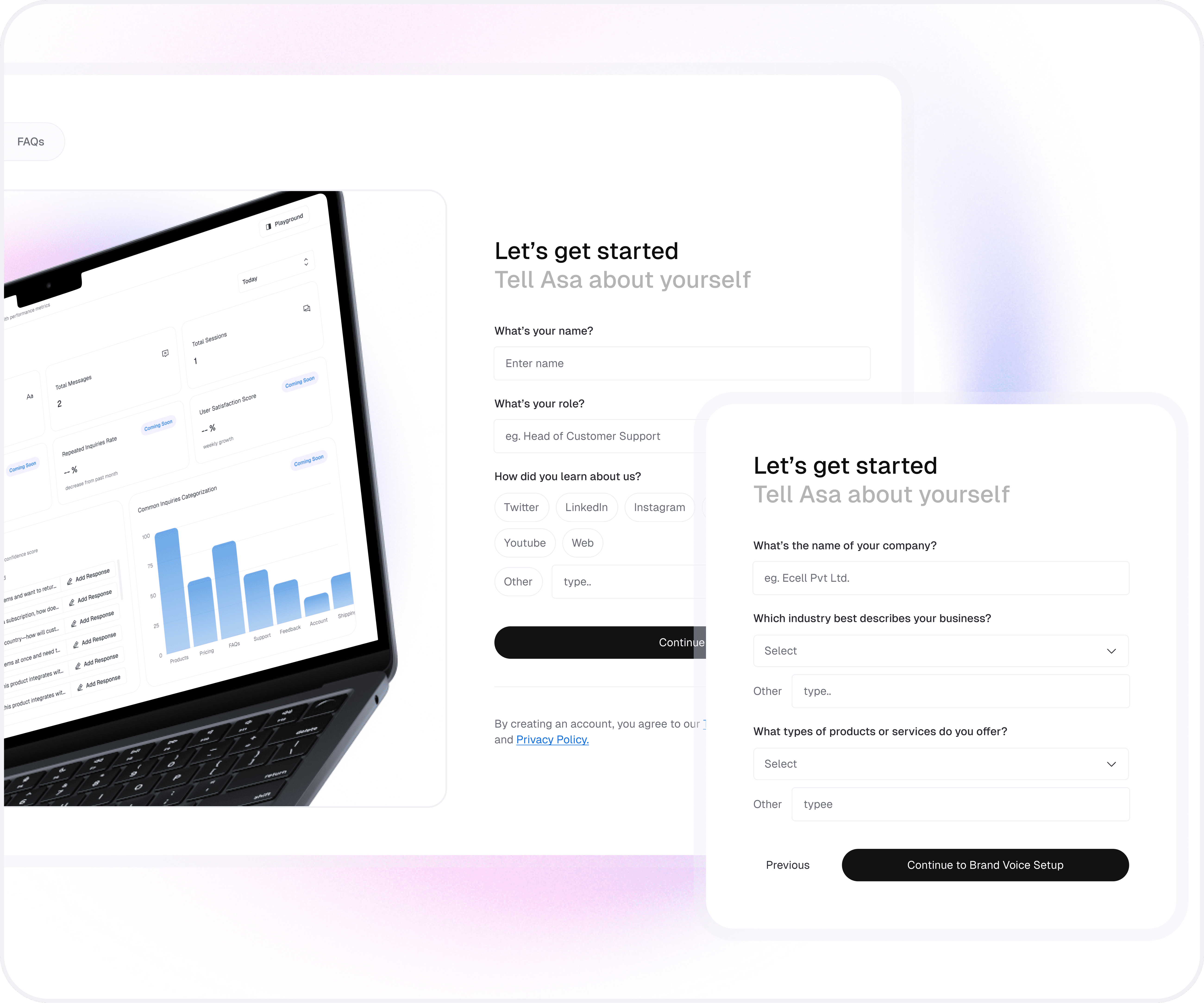
    A form prompting users to share basic details such as name, role, and how they discovered Asa AI. The form is structured to keep the process straightforward and user-friendly.

    Understanding the client: Exploring their company, industry or sector, and the products or services they provide.

  • Part 1.2: Setting Up Brand Identity

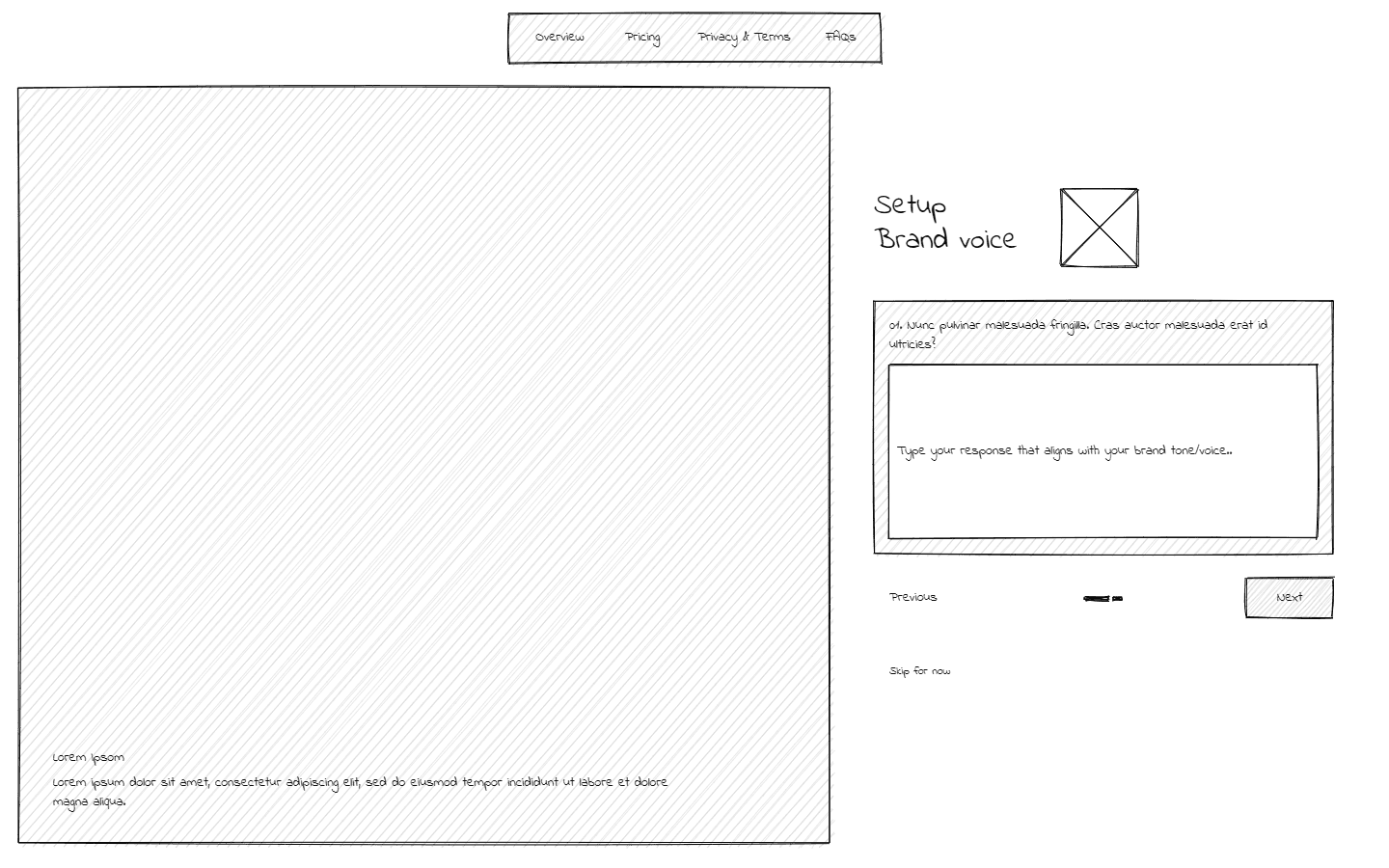
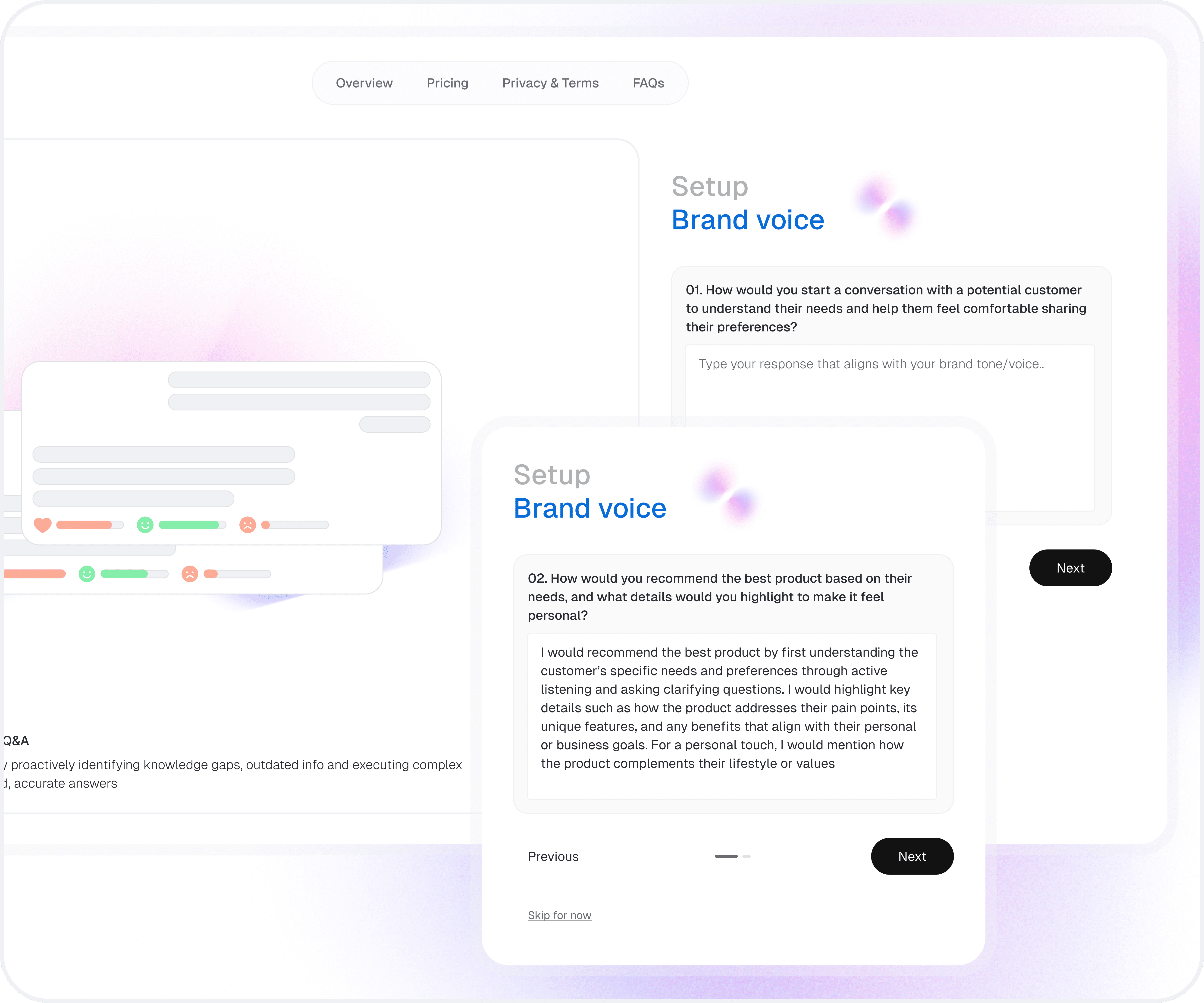
    Users input sample phrases or tones that represent their brand’s identity. This interactive step empowers users to define their communication style, enabling Asa AI to generate responses tailored to their brand ethos.

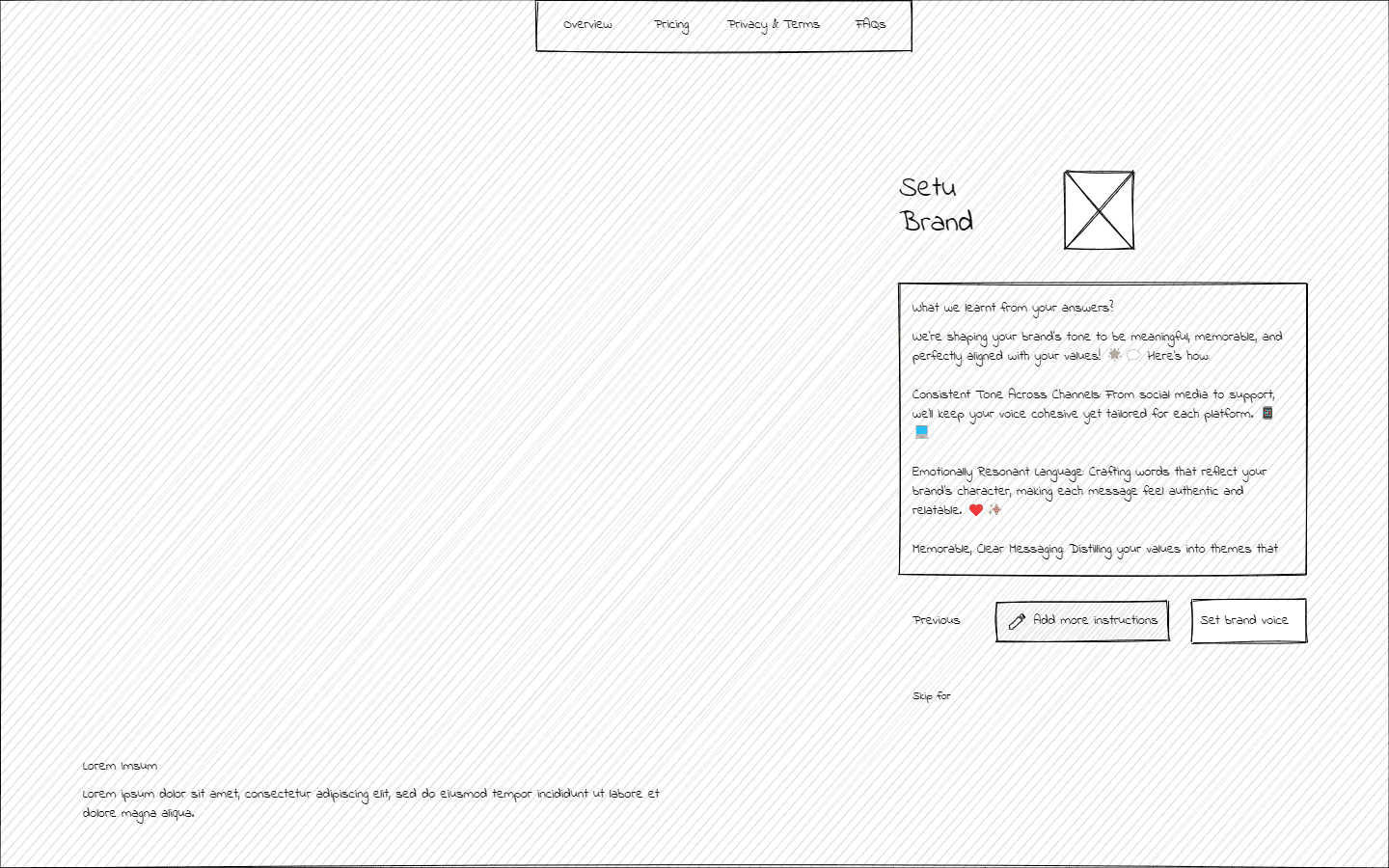
    Users can review and confirm their brand voice configuration. This step provides users with a sense of completion and validation, ensuring they are confident about their choices before moving to the next stage.

  • Part 1: Log In/Sign Up

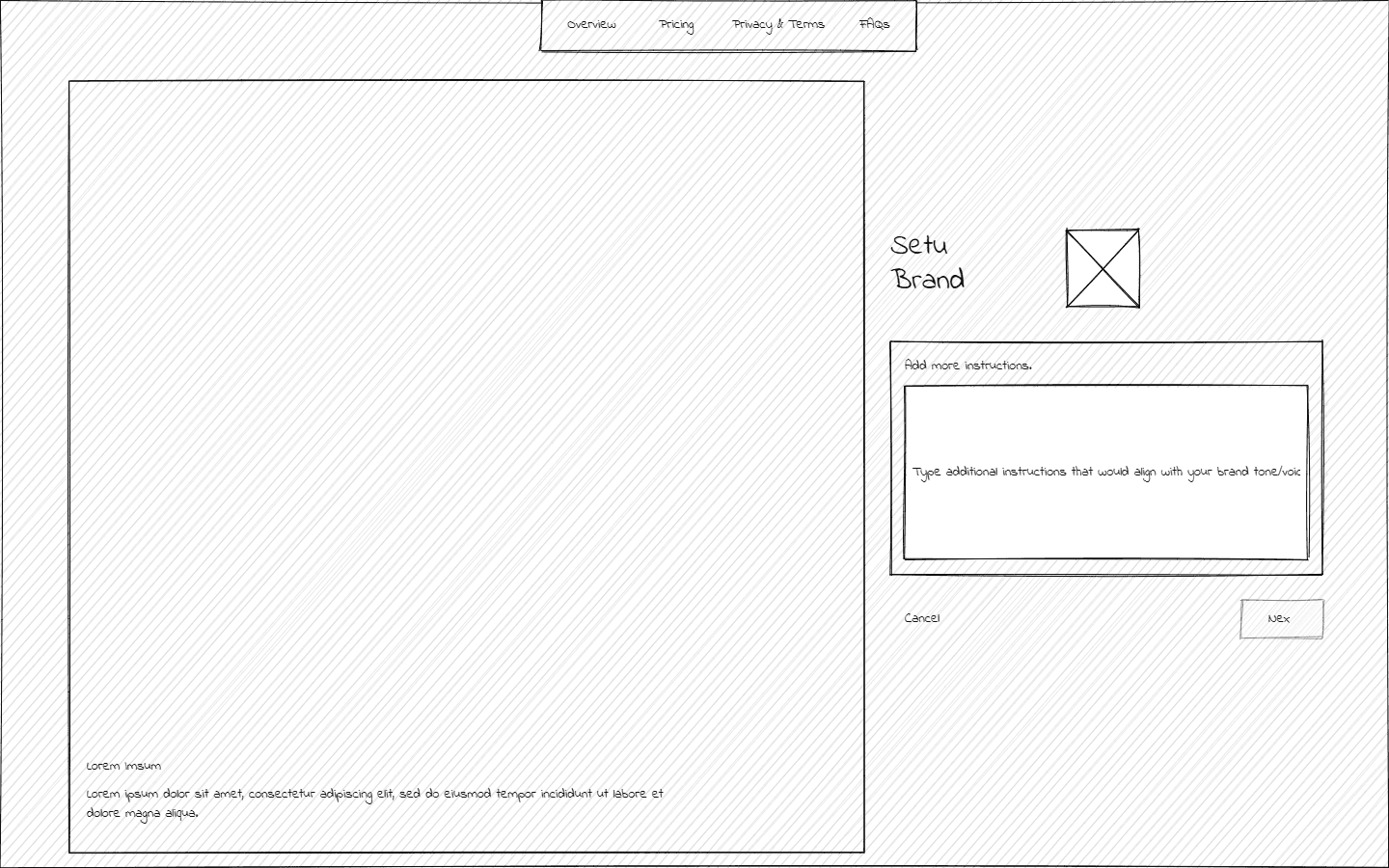
    Clients have the option to provide additional instructions beyond Asa AI’s configuration, offering enhanced customization to meet their unique needs.


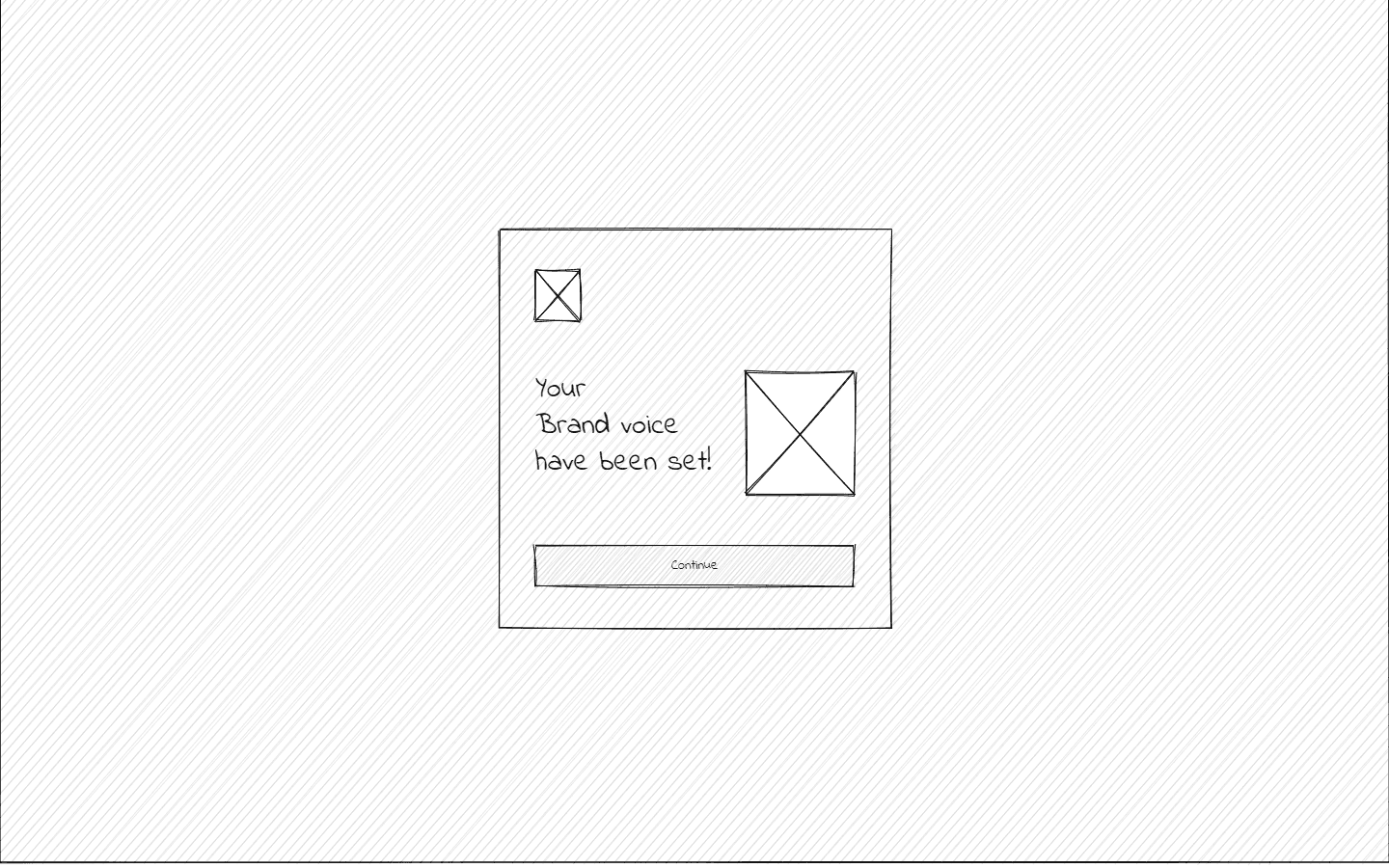
    A simple and clean confirmation screen indicating that the brand voice has been successfully set.

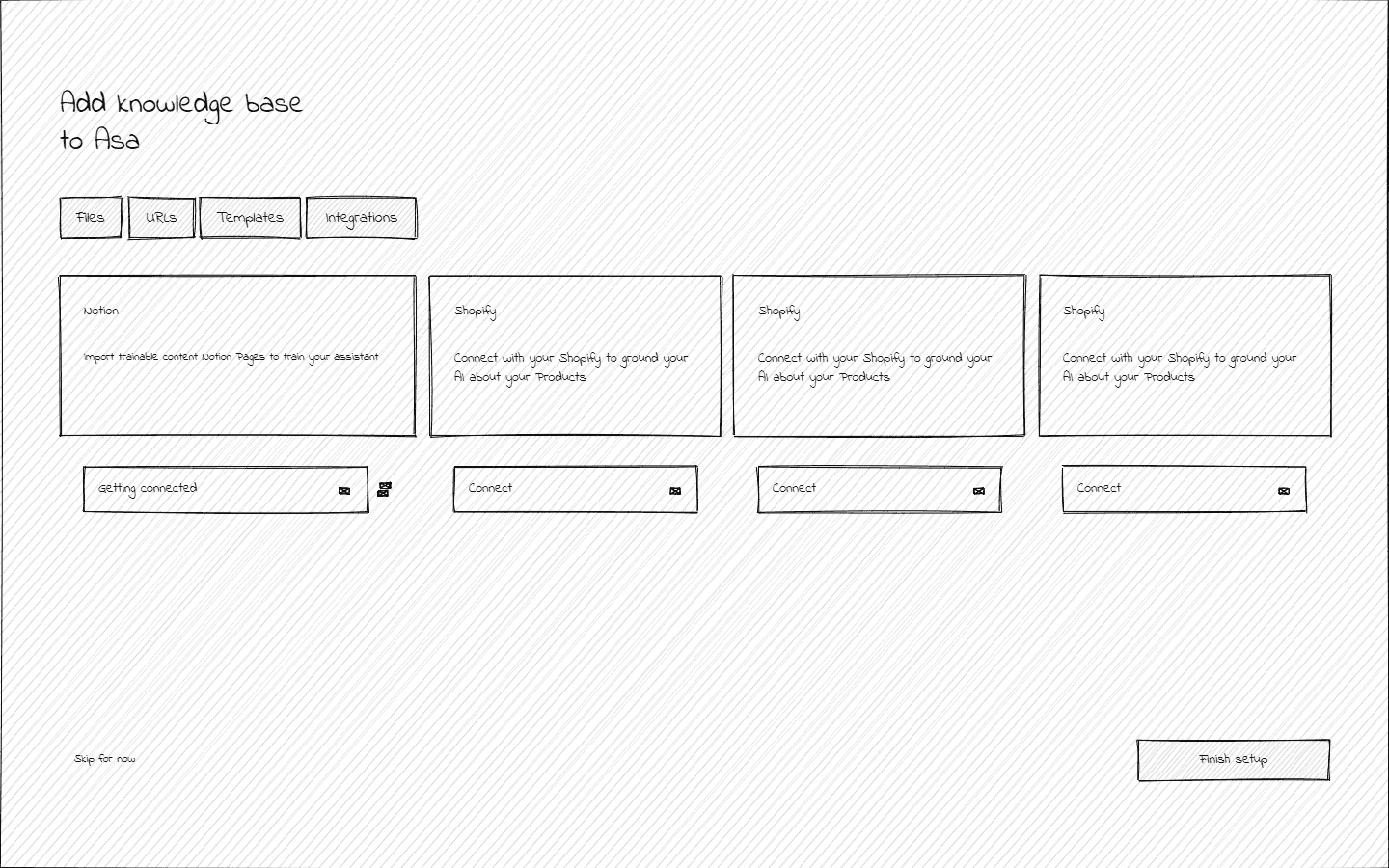
  • Part 1.3: Adding Knowledge base

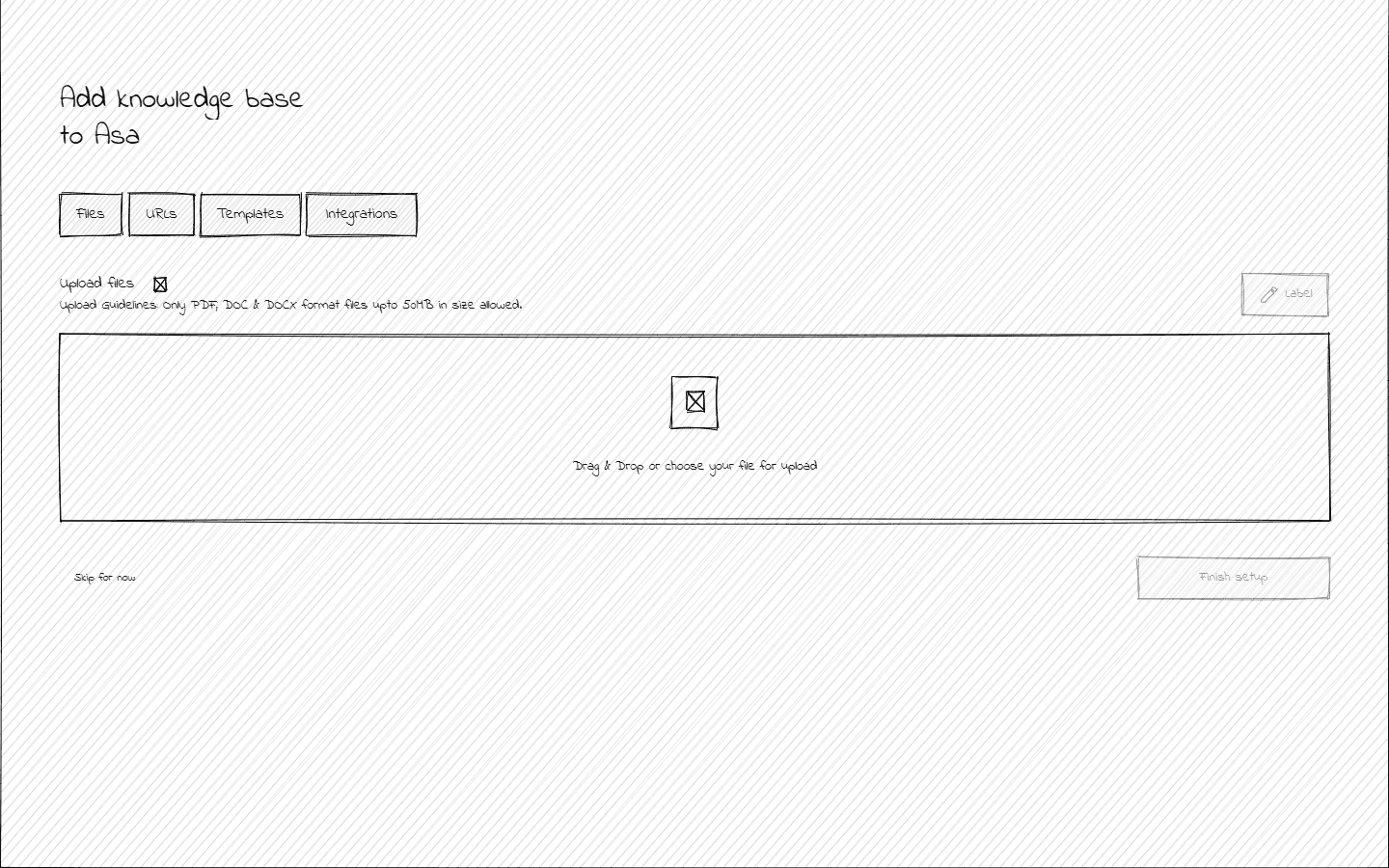
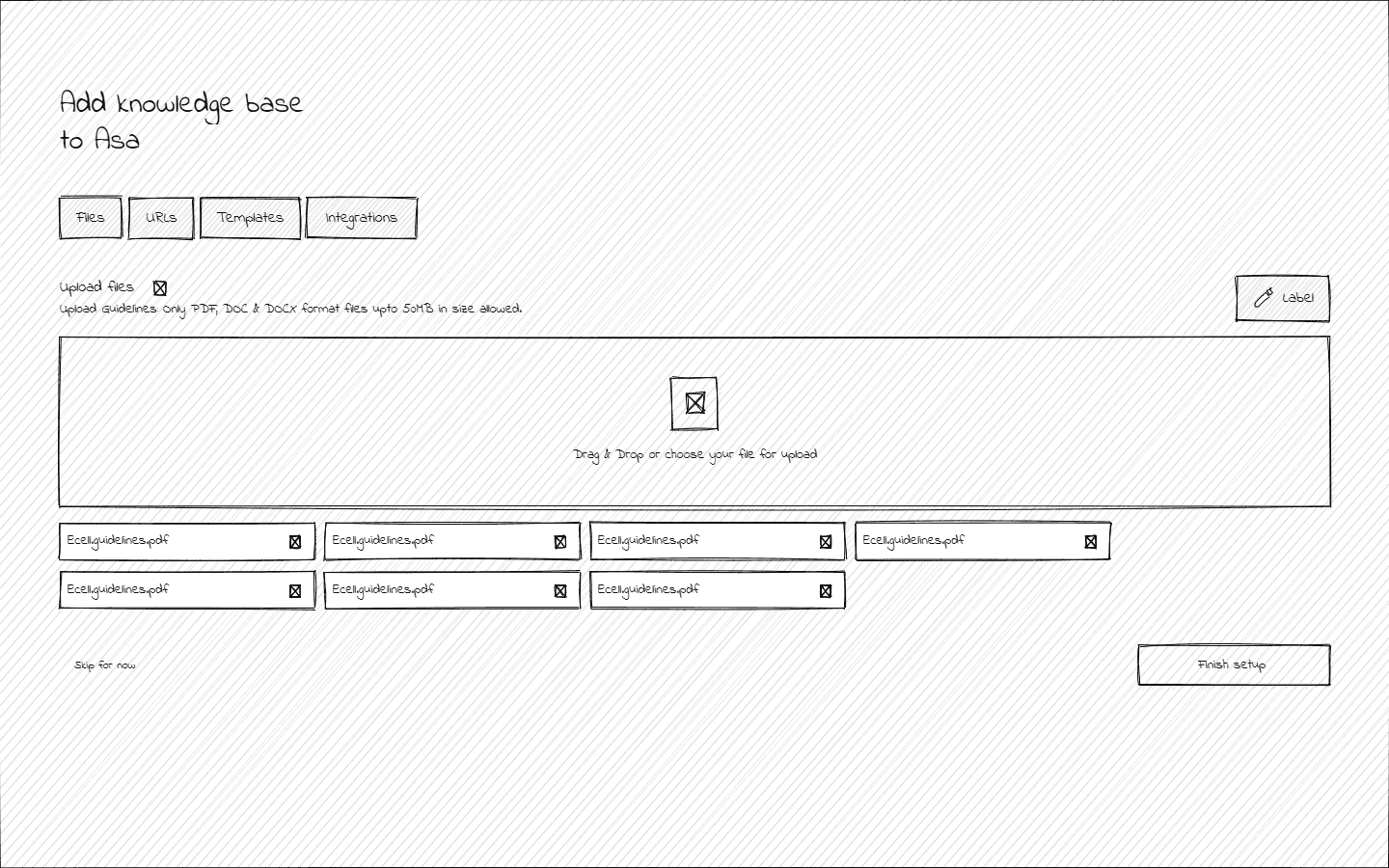
    In this part of onboarding, the client is prompted to upload files/documents that contain essential knowledge (e.g., company policies, FAQs, product manuals). This ensures Asa AI can access accurate and relevant information during interactions.

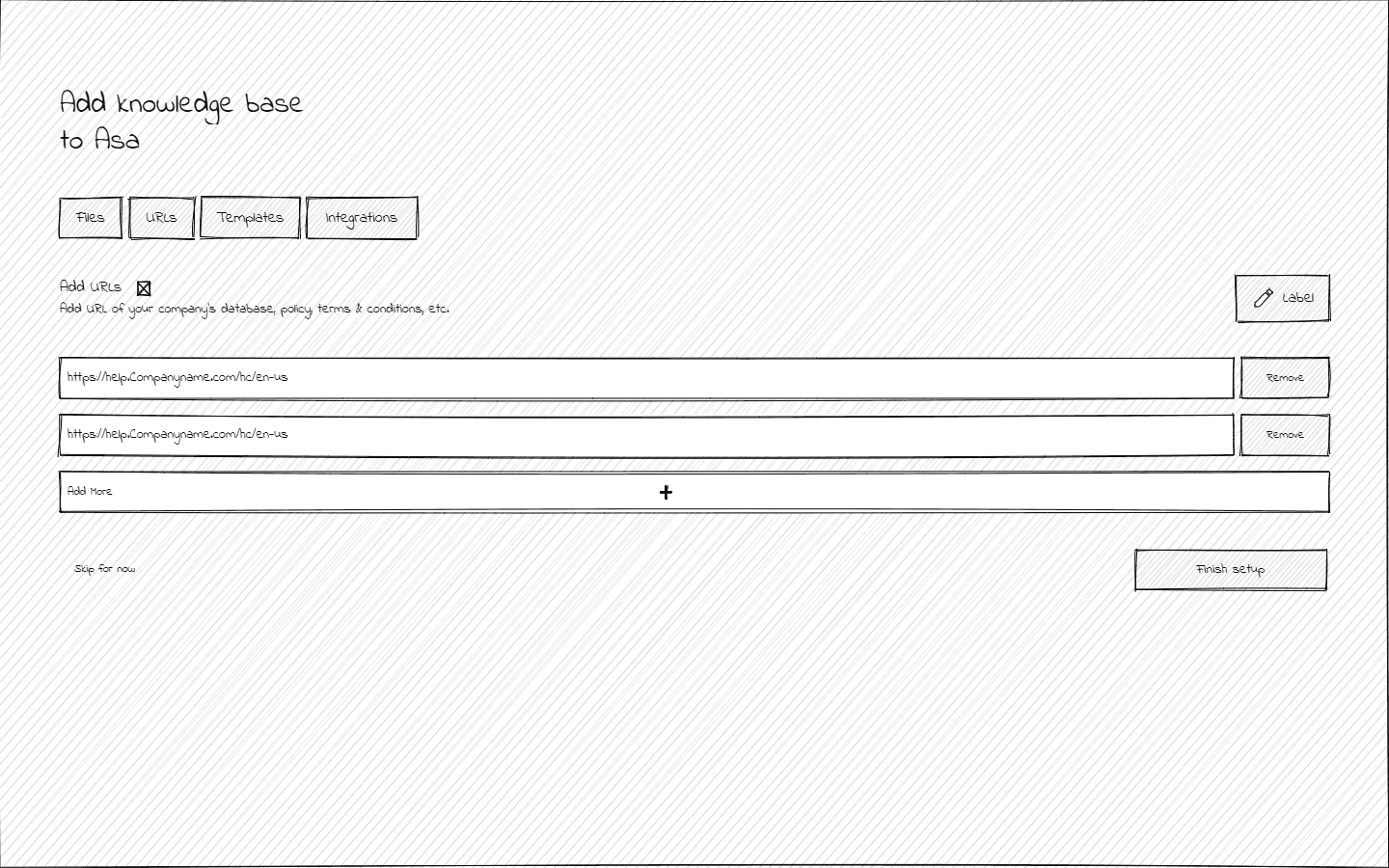
    Clients can link external sources such as URLs, blogs, or other online resources. This step broadens the knowledge base by connecting Asa AI to authoritative and brand-aligned content.

    Uploaded and linked knowledge is displayed for review.

  • Part 1: Log In/Sign Up

    Integrate with Existing Tools

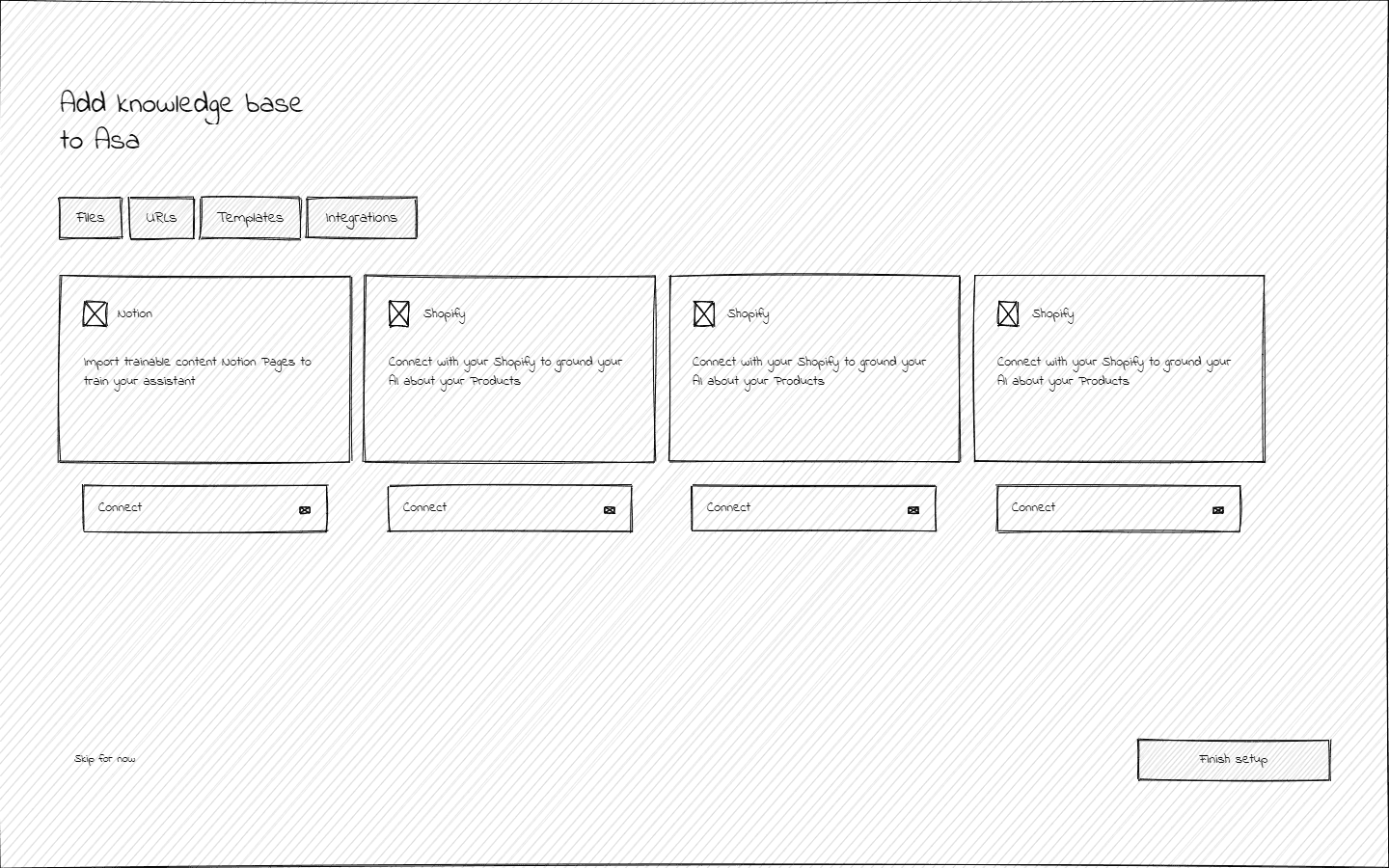
    Provides integration options with existing customer support tools or platforms. This allows seamless syncing of information and ensures Asa AI functions within the client’s operational ecosystem.

Bit of final design

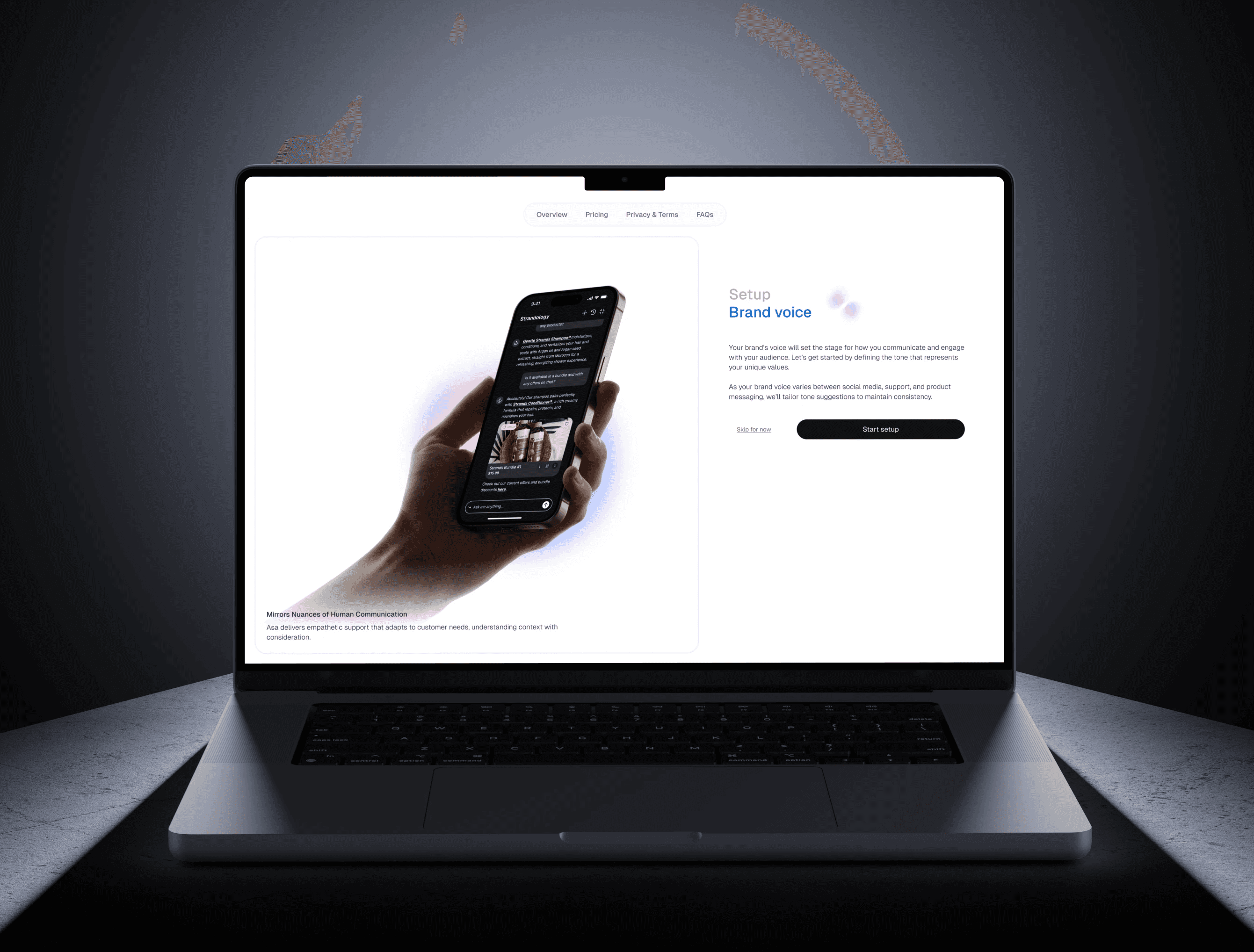
The onboarding journey begins with this screen, inviting users to define their brand's unique voice.

The subtle motion graphic adds a touch of interactivity and liveliness, creating a dynamic first impression.

The onboarding journey begins with this screen, inviting users to define their brand's unique voice.

The subtle motion graphic adds a touch of interactivity and liveliness, creating a dynamic first impression.

Entry Point:

Welcome Screen

The onboarding journey starts with a clean and engaging welcome screen, giving users an overview of Asa AI’s purpose.

The screen design incorporates an embedded frame that provides a visual preview of Asa AI's interface and its core features.

The onboarding journey starts with a clean and engaging welcome screen, giving users an overview of Asa AI’s purpose.

The screen design incorporates an embedded frame that provides a visual preview of Asa AI's interface and its core features.

User and Company Information

Gathering basic details about the user and their company. Clients input their name, role, and how they learned about Asa AI. Additionally, the company details section captures information about the industry, products or services offered, and any unique aspects of the business.

This step helps Asa AI to tailor its responses and configuration to align with the user's specific needs.

Gathering basic details about the user and their company. Clients input their name, role, and how they learned about Asa AI. Additionally, the company details section captures information about the industry, products or services offered, and any unique aspects of the business.

This step helps Asa AI to tailor its responses and configuration to align with the user's specific needs.

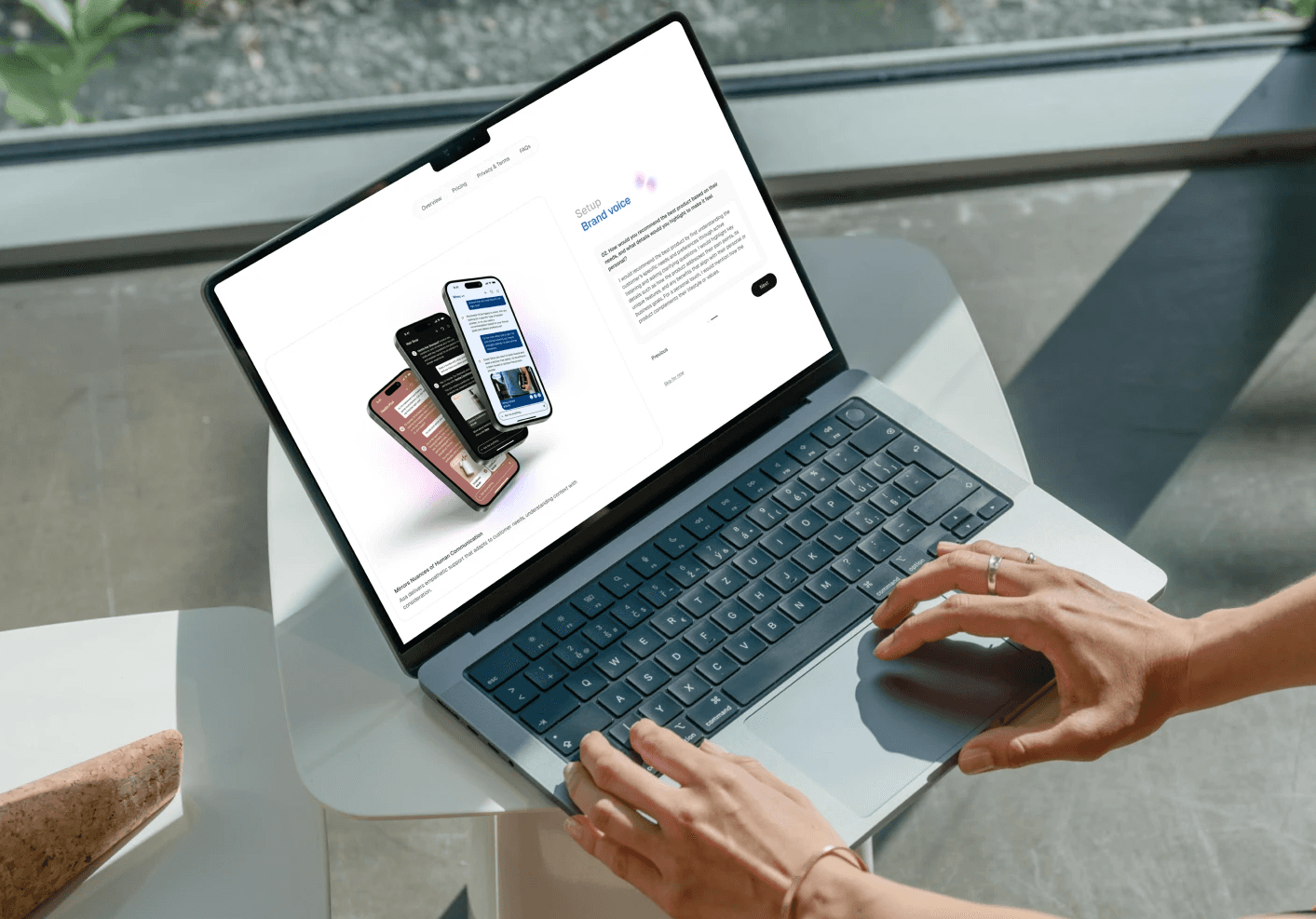
Setting Up Brand Voice

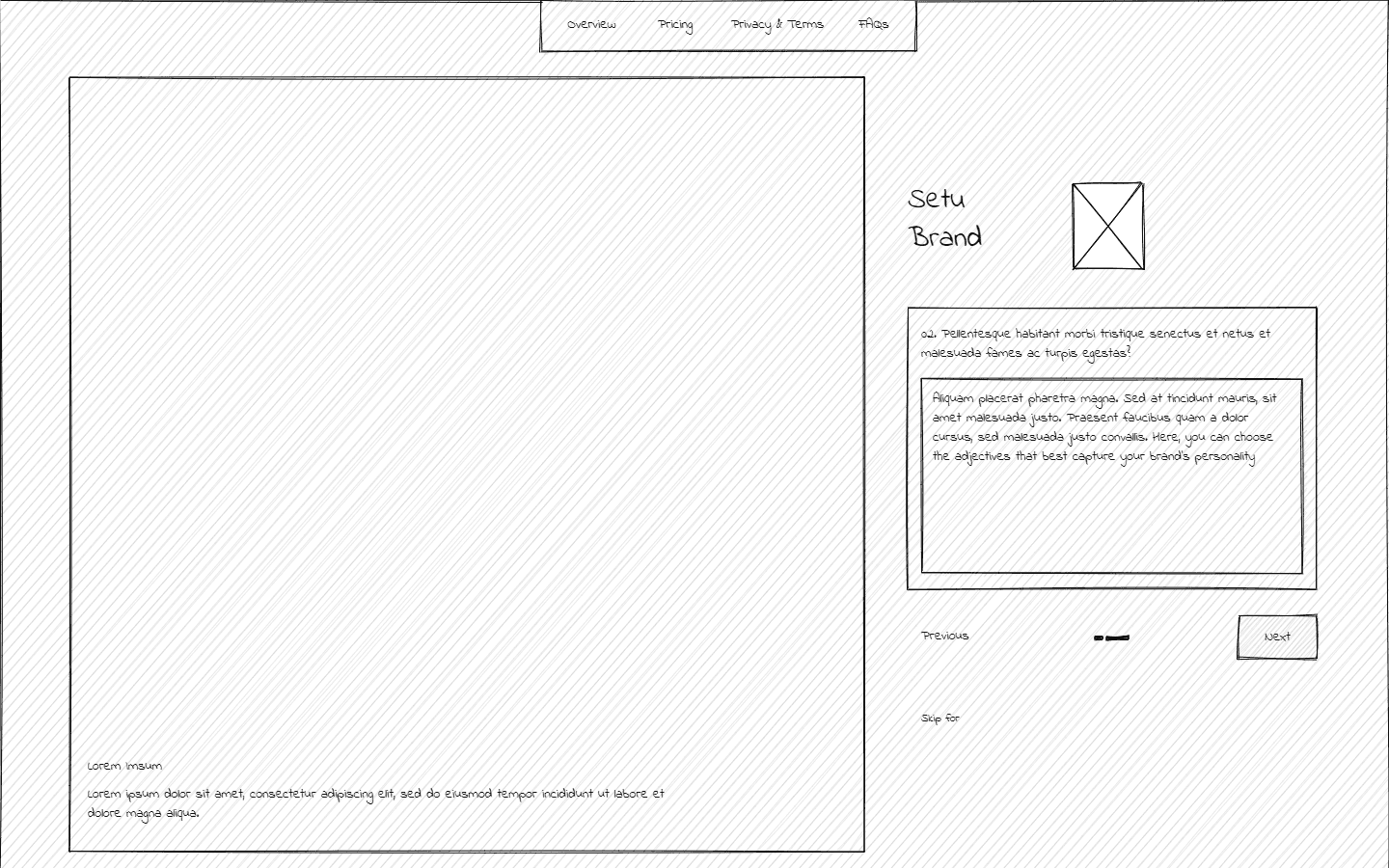
In this section Asa AI gathers essential nuances from the client’s responses by asking targeted questions (e.g., preferred tone and product recommendation style).

Asa AI ensures its responses reflect the client’s brand identity.

In this section Asa AI gathers essential nuances from the client’s responses by asking targeted questions (e.g., preferred tone and product recommendation style).

Asa AI ensures its responses reflect the client’s brand identity.

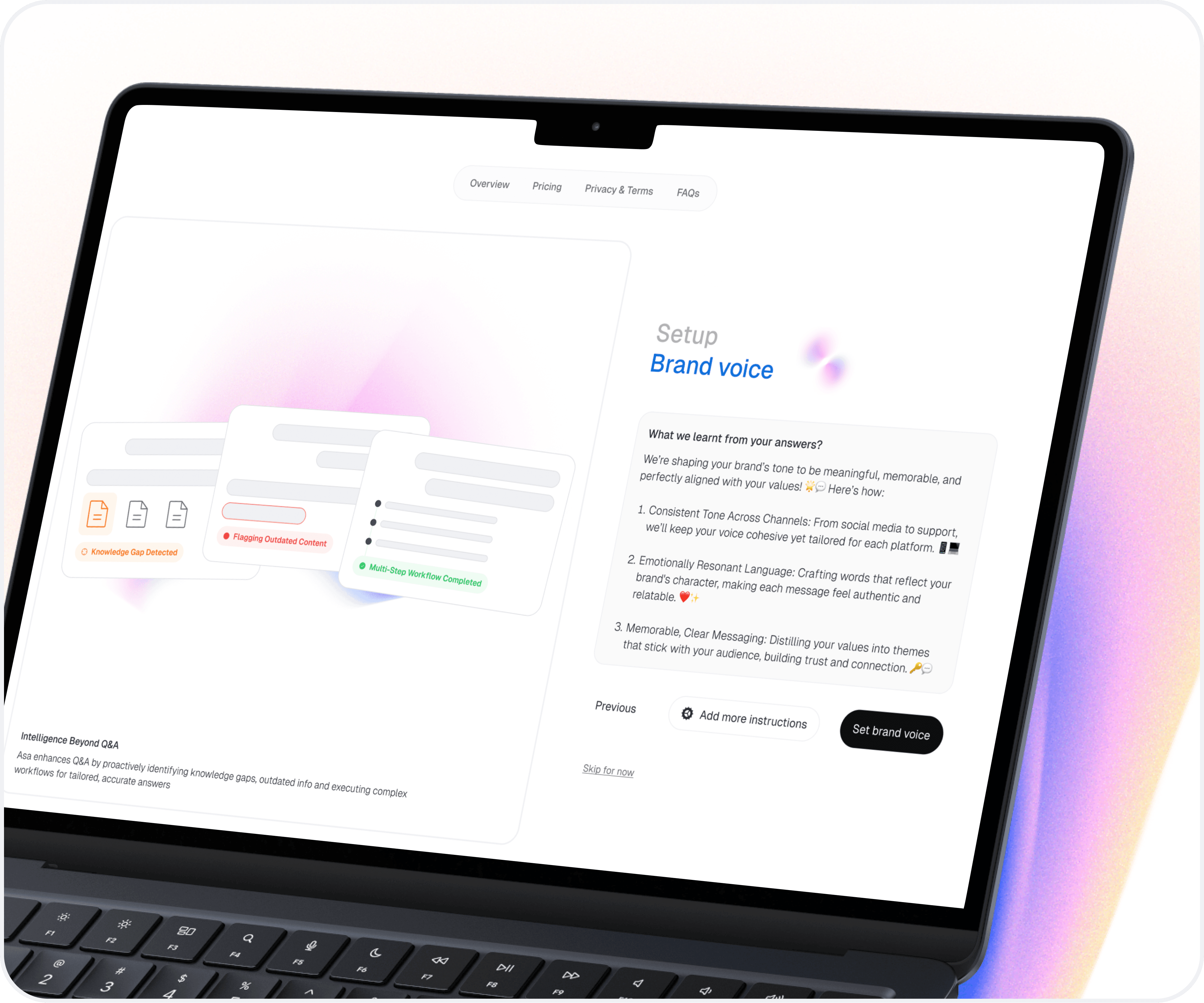
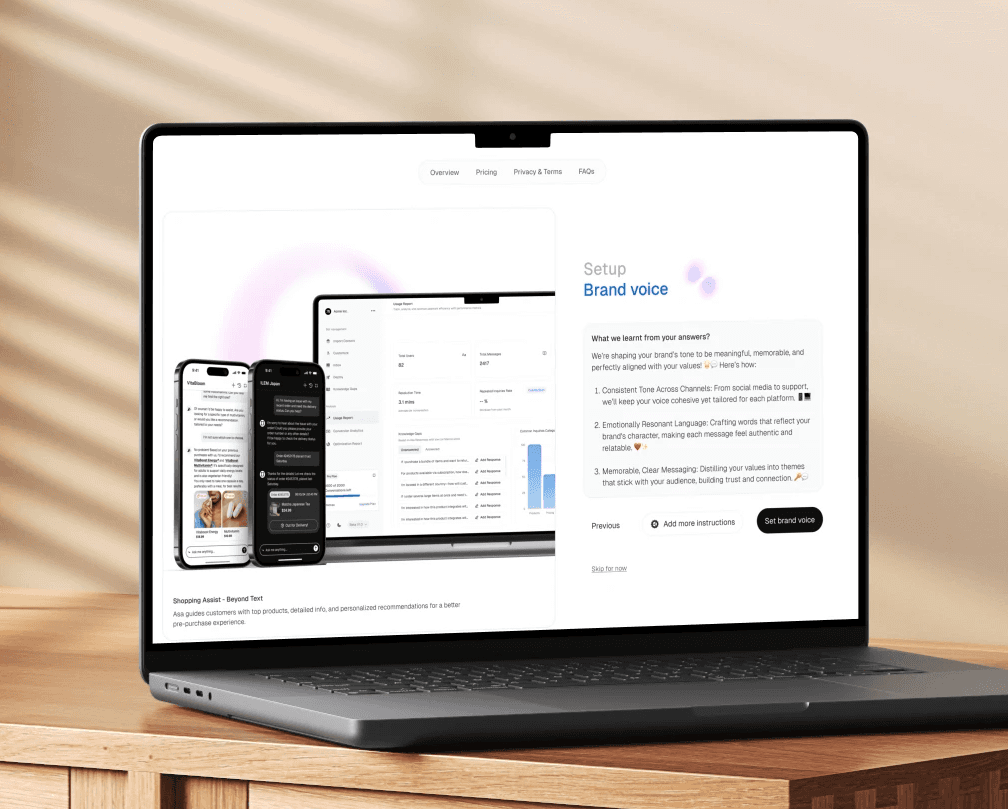
Brand Voice Configuration

The showcases how Asa AI interprets and distills the nuances of the client’s responses into actionable insights about their brand’s voice.

It outlines key takeaways that guide the shaping of the brand's tone.

User can chose to "Add more instructions" if required.

The showcases how Asa AI interprets and distills the nuances of the client’s responses into actionable insights about their brand’s voice.

It outlines key takeaways that guide the shaping of the brand's tone.

User can chose to "Add more instructions" if required.

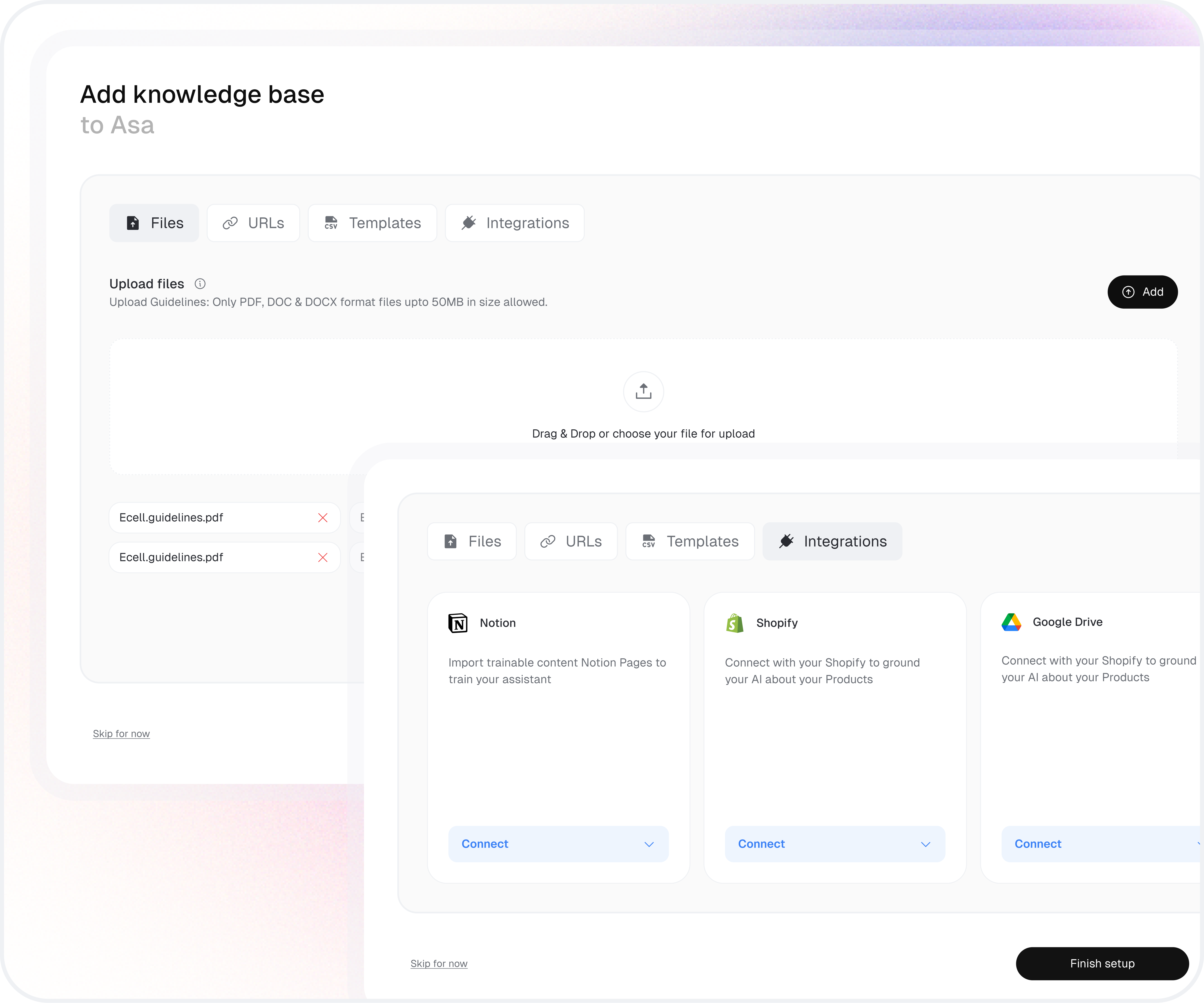
Knowledge Base Setup

  • Upload Knowledge Base Files

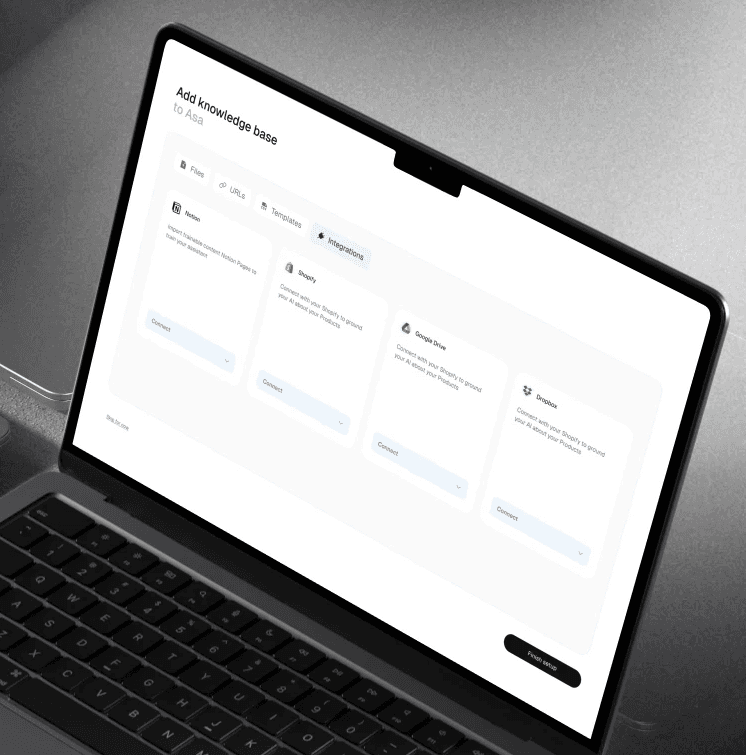
  • Integrate with External Tools (e.g., Notion, Shopify, Google Drive, etc.)

    In this phase, users build Asa AI’s knowledge base by uploading documents, links, or connecting tools. This ensures responses are accurate, customized, and aligned with the brand.

  • Upload Knowledge Base Files

  • Integrate with External Tools (e.g., Notion, Shopify, Google Drive, etc.)

    In this phase, users build Asa AI’s knowledge base by uploading documents, links, or connecting tools. This ensures responses are accurate, customized, and aligned with the brand.

Mockups

Leaning Outcomes

Leaning Outcomes

Through this project, I gained valuable insights into creating intuitive and efficient designs for SaaS platforms. By analyzing targeted users, I learned how to design tailored experiences that address unique needs, ensuring a smooth and engaging user journey.

Key takeaways:

  1. Balancing Simplicity and Customization

  2. User-Centric Problem Solving

  3. Cross-functional Collaboration

  4. Iterative Design Approach

Create a free website with Framer, the website builder loved by startups, designers and agencies.